EN
DownloadDownloadDownload

Daily affirmations for a calmer, more confident you

Zen gives you short, personal affirmations every day, with gentle reminders and a practice mode for saying them out loud.

Download on the App StoreGet it on Google Play
QR code that opens Zen in the App Store or Google PlayScan to get Zen on your phone
  • Free
  • 6 languages
  • iPhone & Android
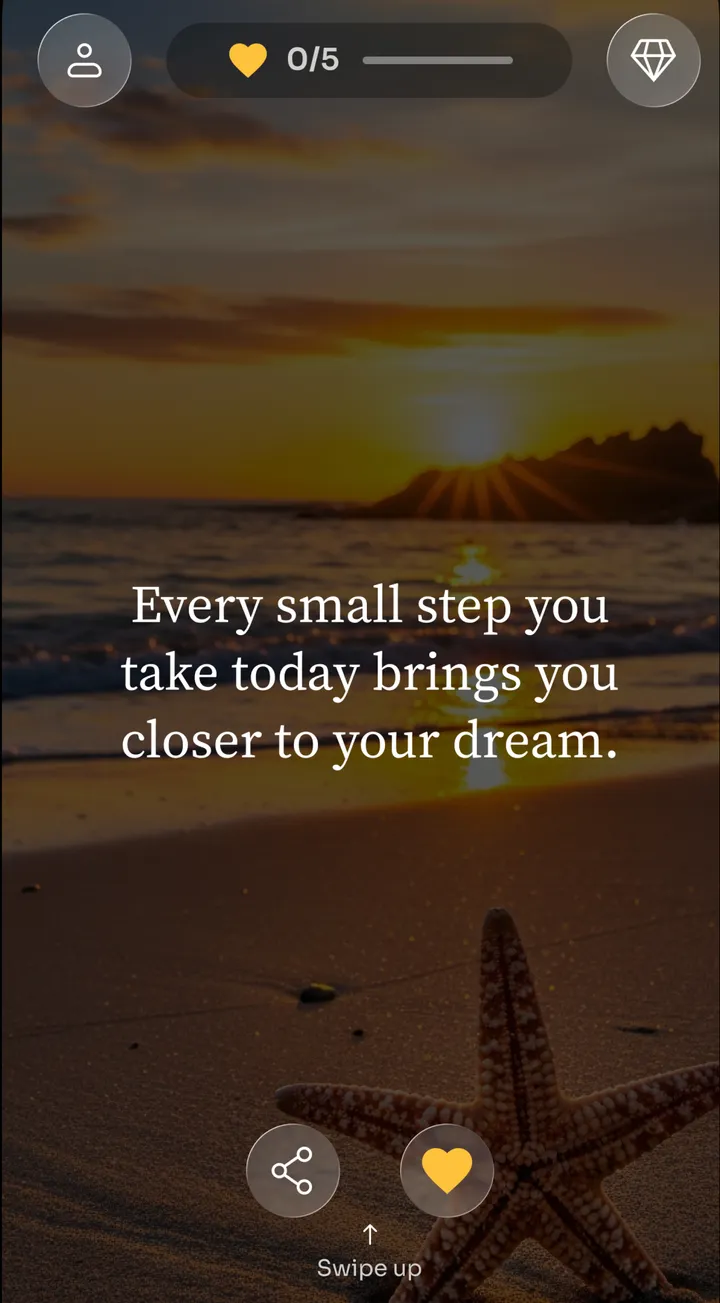
Zen affirmation “Every small step you take today brings you closer to your dream” over a beach at sunset
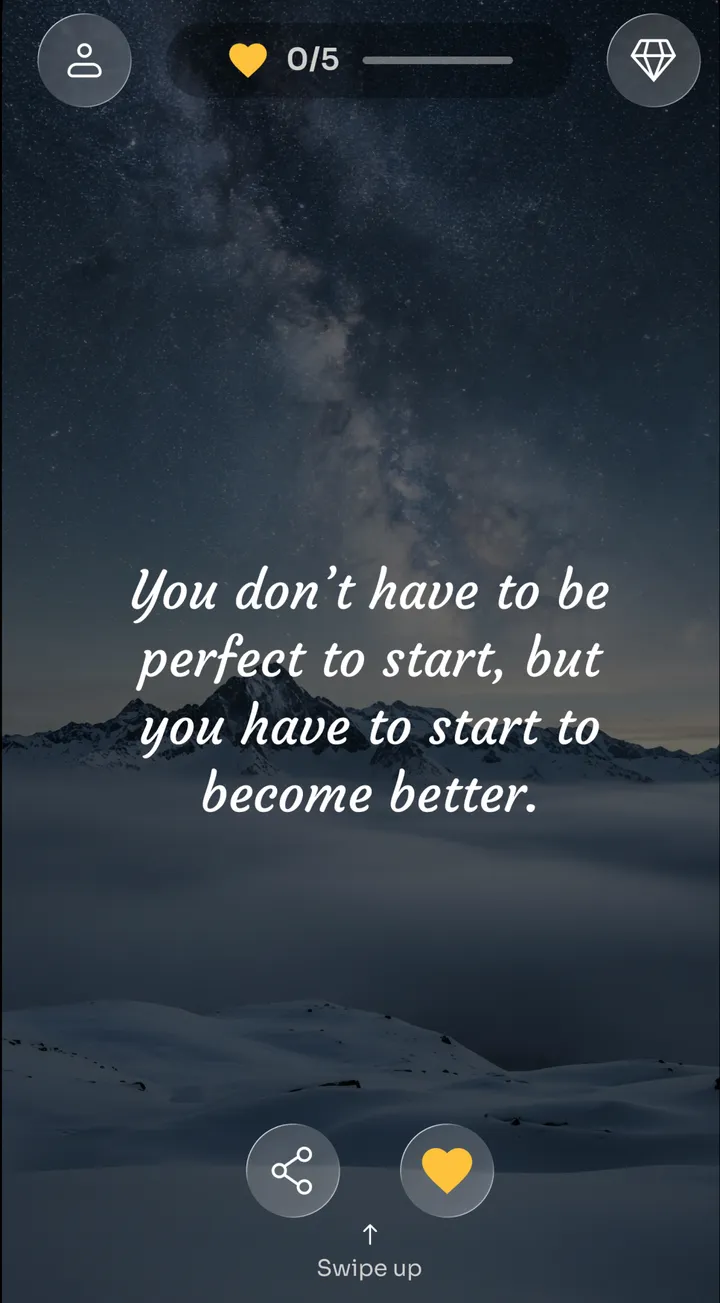
Zen affirmation “You don’t have to be perfect to start” over a starry mountain sky
Zen affirmation feed showing “Believe in yourself and you’re already halfway there” over an autumn forest

How Zen works

  1. Tell Zen what you need

    Answer a few short questions about your goals, your mood and the topics you care about.

  2. Get your daily feed

    Zen picks affirmations for the parts of life you want to grow in. Swipe up for the next one.

  3. Make it a habit

    Read them, say them out loud and come back tomorrow. Reminders and streaks help you keep going.

Everything in the app

Zen works the same way on iPhone and Android. The few extras that need iPhone are labeled.

A feed of affirmations picked for you

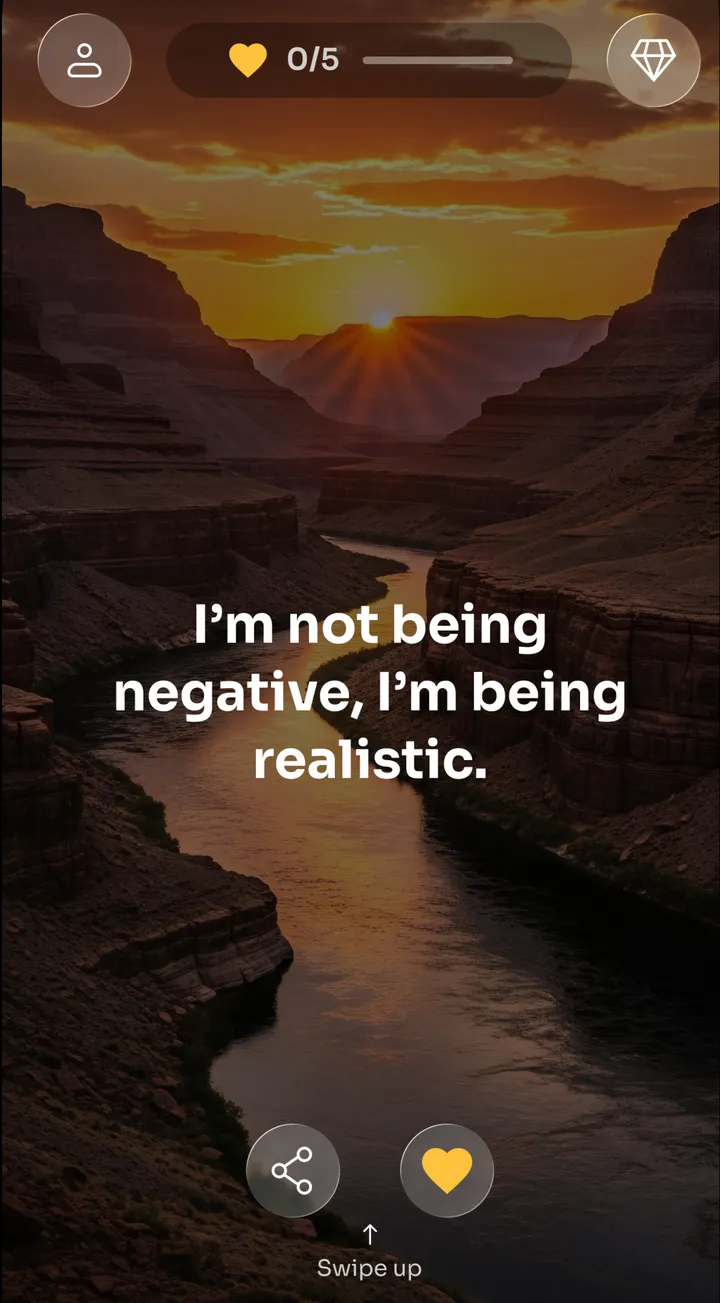
Your onboarding answers shape what you see, from self-love and confidence to calm and gratitude. Swipe up for the next affirmation and keep the ones that speak to you.

  • Personalized from your goals, mood and interests
  • Favorites and history, so you can find a quote again
  • Share any quote as an image card
Zen feed with the affirmation “I’m not being negative, I’m being realistic” over a canyon at sunrise, with share and favorite buttons

Browse by topic, or write your own

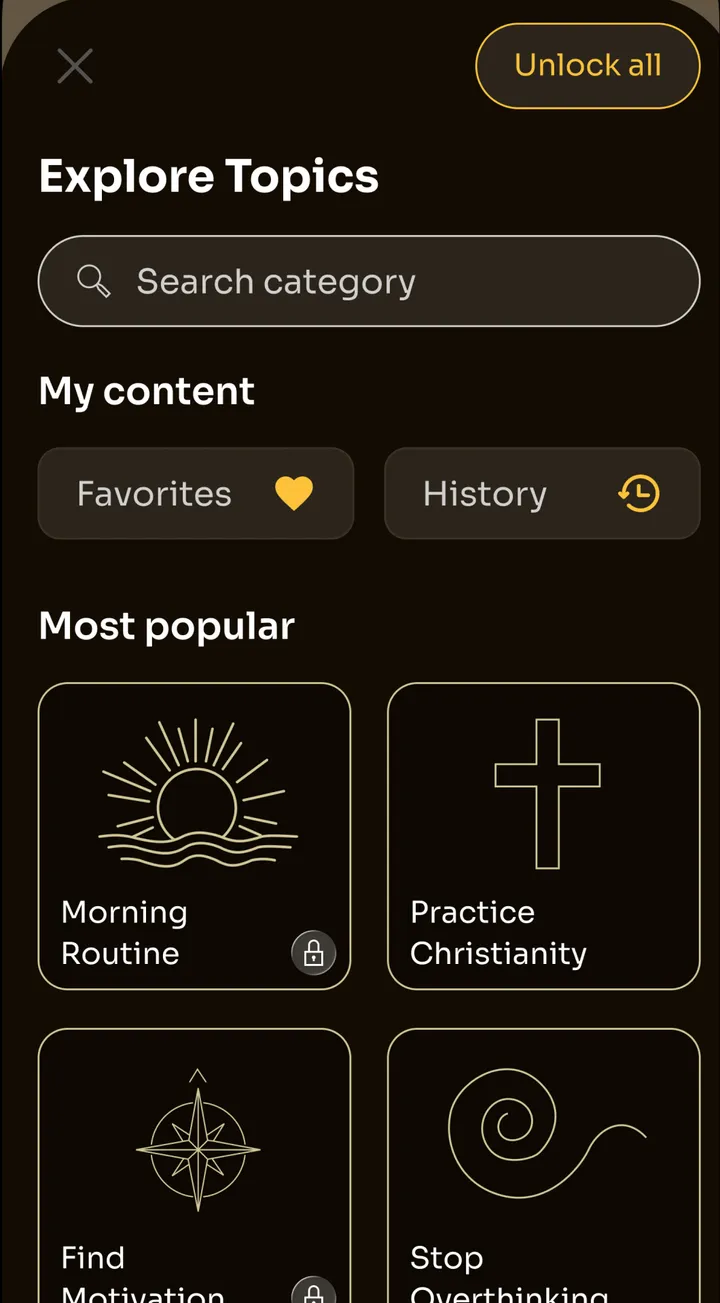
When you want something specific, explore categories like Morning Routine, Find Motivation or Stop Overthinking. Or put your own words in My affirmations.

  • Search categories by name
  • Write your own affirmations in My affirmations
  • Your own affirmations can appear on your widgetsiPhone only
Explore Topics screen in Zen with a category search and categories such as Morning Routine, Find Motivation and Stop Overthinking
I am calm, capable, and enough.
Say it out loud

Practice mode: say it out loud

Speaking an affirmation slows you down and gives the words more weight. Practice mode shows one affirmation at a time and moves on every 10 seconds, so all you do is read aloud.

Quick
1 minute, 6 affirmations
Regular
5 minutes, 30 affirmations
Expert
15 minutes, 90 affirmations

Gentle reminders through the day

Choose how many reminders you get, the hours they arrive between, the days they repeat and a calming sound. A kind sentence shows up when you need it.

  • Reminders throughout the day, with calming sounds
  • Daily streaks to keep your habit going
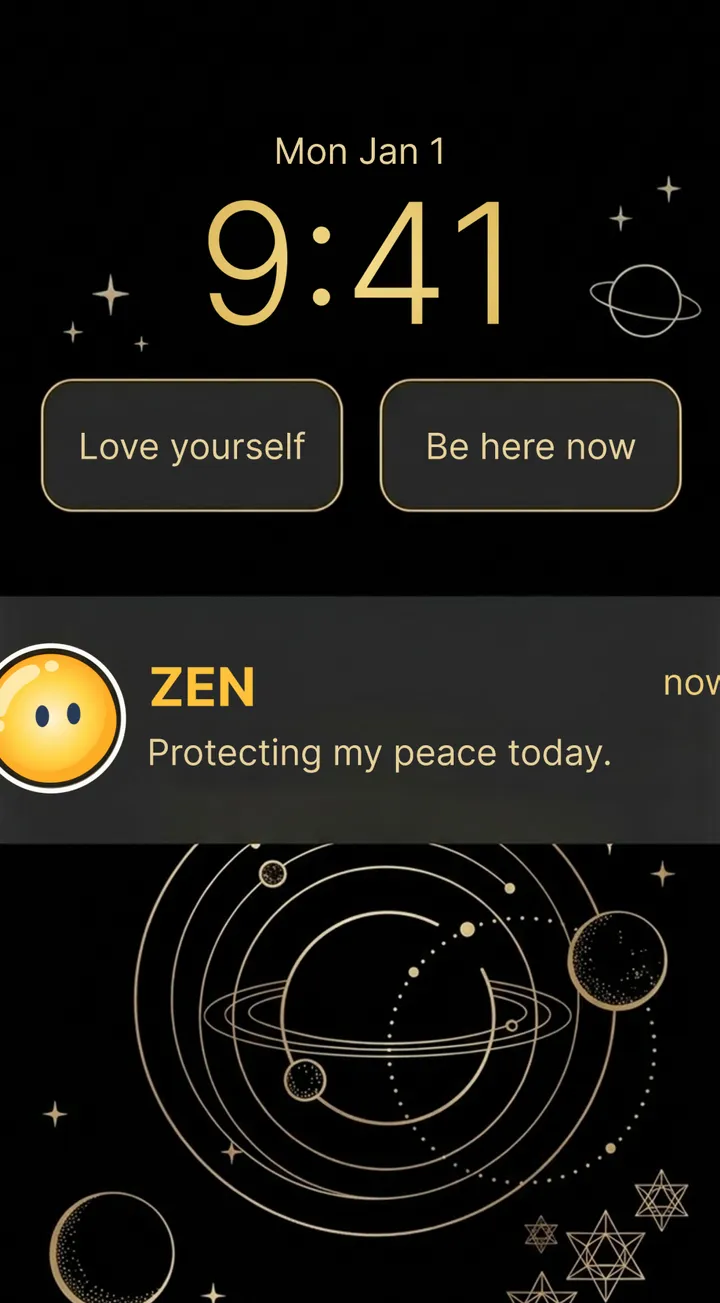
  • Home Screen and Lock Screen widgetsiPhone only
iPhone Lock Screen with Zen widgets reading “Love yourself” and “Be here now” and a Zen reminder saying “Protecting my peace today”

Make it look and feel like yours

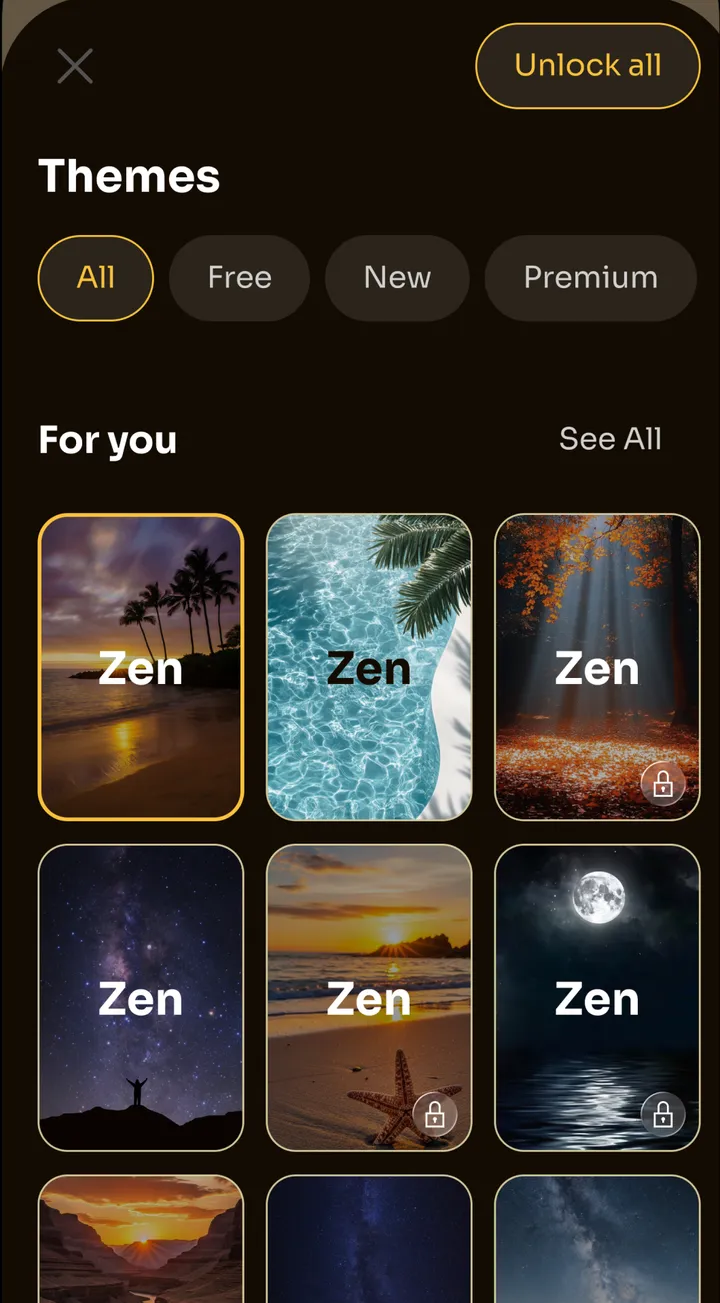
Pick a theme for your affirmations, from sunsets and starry skies to quiet forests, and sign in to keep your favorites and settings in sync.

  • Beautiful themes for every mood
  • Sign in with Google to sync your account
  • Sign in with AppleiPhone only
Zen theme picker with background styles including palm trees at sunset, ocean water, an autumn forest and a full moon

Small moments that add up

  • A steadier start to the morning

    One affirmation, read slowly and said out loud, before the day pulls you in. It takes about two minutes.

  • Kinder self-talk

    A short, kind sentence gives you something better to return to when your inner critic gets loud.

  • A habit that is easy to keep

    A small daily goal and a streak make showing up feel doable, even on busy days.

  • Words in your own language

    Read affirmations in English, French, German, Italian, Russian or Spanish.

Zen in numbers

affirmations and quotes in English
52,000+
categories to explore
80+
languages
6
platforms: iPhone and Android
2

Frequently asked questions

Still wondering about something? Send us a message.

Is Zen free?

Yes. Zen is free to download and use on iPhone and Android, with ads. Zen Pro is an optional weekly or yearly subscription that removes ads and unlocks every category, every theme and unlimited affirmations of your own. The yearly plan starts with a 3-day free trial.

Is Zen available on Android?

Yes. Zen is on Google Play for phones running Android 7.0 or later, and on the App Store for iPhone with iOS 15.1 or later. Widgets and Sign in with Apple are only available on iPhone.

Which languages does Zen support?

Zen is available in English, French, German, Italian, Russian and Spanish, with affirmations written in each language.

How do affirmations work?

An affirmation is a short, positive sentence you read or say to yourself, like “I am calm, capable, and enough.” Repeating one regularly can help you notice your self-talk and choose kinder words. Zen keeps it simple: read one, say it out loud and come back tomorrow.

Can I write my own affirmations?

Yes. Add them in My affirmations. You can save 3 for free, or as many as you like with Zen Pro. On iPhone, your own affirmations can also appear on your widgets.

Does Zen have widgets?

On iPhone, yes: Home Screen widgets in three sizes and Lock Screen widgets. They can show recommended quotes, your own affirmations or a mix. Widgets are not available on Android.

How do reminders work?

In Reminders, choose how many affirmations you want per day, the time window they arrive in, which days they repeat, the kind of affirmations and a calming notification sound. You can change or turn them off at any time.

How do I cancel Zen Pro?

Cancel in the store where you subscribed. On iPhone, open Settings, tap your name, then Subscriptions. On Android, open Google Play, tap your profile icon, then Payments & subscriptions, then Subscriptions. Deleting the app or your account does not cancel a subscription. More about subscriptions and your account.

Is my data private?

Zen uses your onboarding answers to personalize your affirmations. We do not sell your personal information for money, personalized ads are shown only with your consent, and Zen Pro has no ads. Our Privacy Policy explains what we collect and why.

How do I delete my account?

In the app, go to Profile, then Settings, then Delete Account. If you can no longer open the app, you can ask us by email. How to delete your Zen account.

Start tomorrow with a kinder thought

Zen is free to download, and you can start without creating an account.

Download on the App StoreGet it on Google Play
QR code that opens Zen in the App Store or Google PlayScan to get Zen on your phone